Pages

Ian Sands has taken a new position at South Brunswick HS Check out it out! http://ArtofSouthB.com

Monday, March 4, 2013

Hey, Where's Mr. Sands?


If you're looking for me you better be heading to Texas. This week I will be attending the 2013 NAEA National Convention in Fort Worth.

What's that you ask? It's a gathering of more than 5,000 visual art teachers, university professors and museum educators. We all get together with the common goal of advancing art education.

Presenting You Say?

Yes! Not only am I attending but I'm also presenting. How exciting, yes I know! Chances are I might even talk about a project you worked on or even show a photo of your art.

On Friday I'll be co-presenting with Craig Roland, Tricia Fuglestad and Elizabeth Delacruz on a presentation titled Connected Art Educators: The Art of Leveraging Social Media to Build a Personal Learning Network. We will share tips and tricks on starting and growing a personal learning network.

If that doesn't float your boat, on Saturday I'll co-present with Robb Sandagata. Our presentation titled,  New Weird Ideas will present projects that challenge conventional art education and involve communities outside of the classroom. That should be interesting!

As a special added bonus I'm pretty sure that Davis Publications will be handing out for free copies of the March issue of SchoolArts Magazine which just happens to include an article about a project we did right here at Apex High School. 

If I see you in Texas, don't forget to ask for my card.. here's what it looks like..


Saturday, March 2, 2013

Sands Beatnik Coffee House 2013


Sands Beatnik Coffee House 2013 from iansands on Vimeo.

Every year, as is the tradition, for one day only art trailer 14 is transitioned into the Sands Beatnik Coffee House.

Coffee, tea and hot chocolate is served along with an assortment of scones, cake and muffins. Along with the scones there are songs and poems and a microphone.

This year's theme was the Renaissance. Sit back, sip some java and enjoy.. snap if you like it!

Friday, March 1, 2013

More Multi Color Stencils


A few more artists were ready to spray today so we braved the rather cold, cloudy afternoon to create another round of multi colored stencils. You can see the process form our first round here.

We are also looking at how andy warhol added line to some of his screen prints. Some of the artists are creating more than one piece so they can experiment with adding pastel, colored pencil and other types of media to their spray paint portraits.


Chris is adding different types of lines to his portrait with oil pastels.


Jess created another portrait solely for the purpose of experimenting with chalk pastel on top of spray paint.


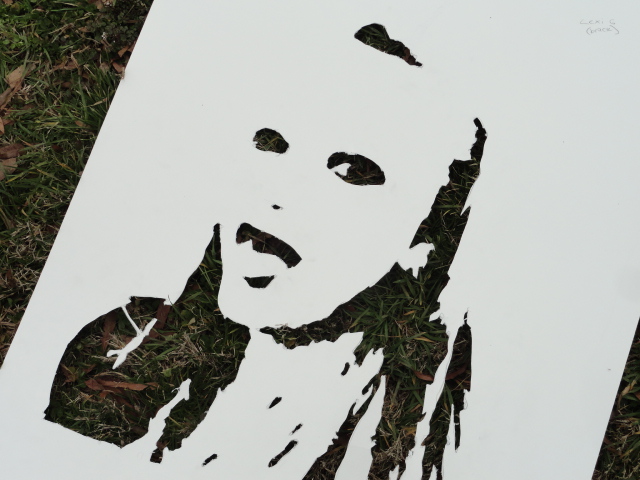
A few of the cut out stencils (to the right) used for this multi color portrait.


One of the stencil cut outs laying in the grass. Still looks cool!

123D Sculpt on the iPad


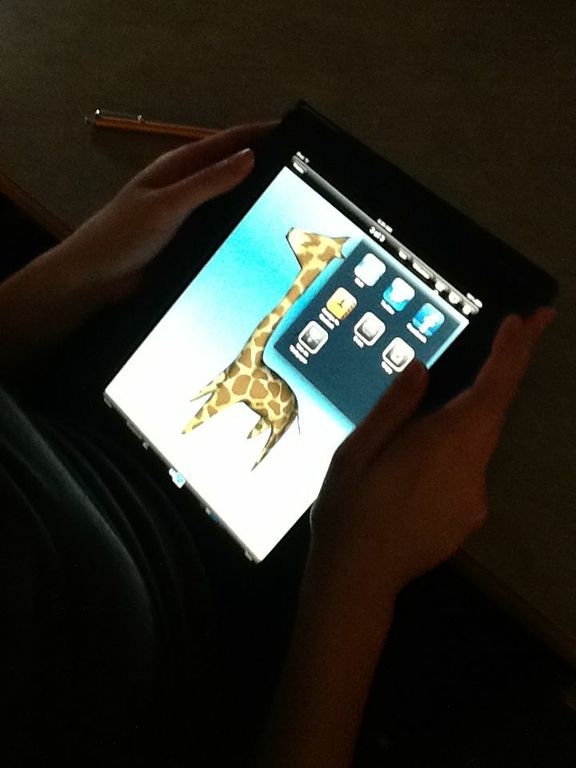
For our second day (yesterday we worked in Sketchbook Pro) in the Media Center, the computer art class got their hands on a new 3D modeling app called 123DSculpt. With this app you start out with a limp of clay and pull, tug and push it around till it starts to look like something. 

There is definitely a learning curve but these students picked up on it really quickly. Below you will see a few of the same creations from different angles to give you an idea of what the art looked like in 3D.


Thursday, February 28, 2013

Multi Colored Self Portrait Stencils


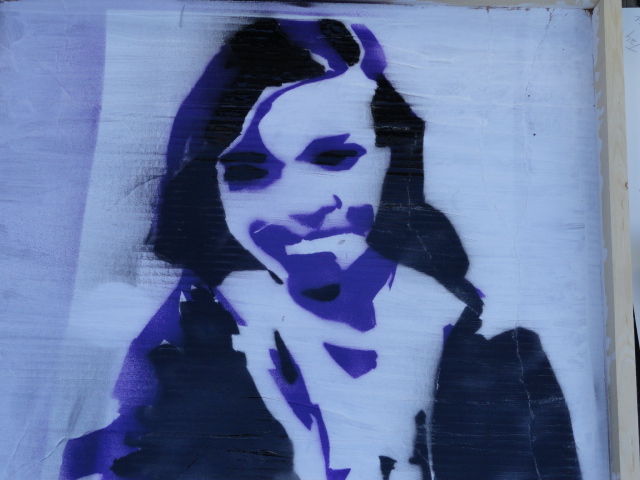
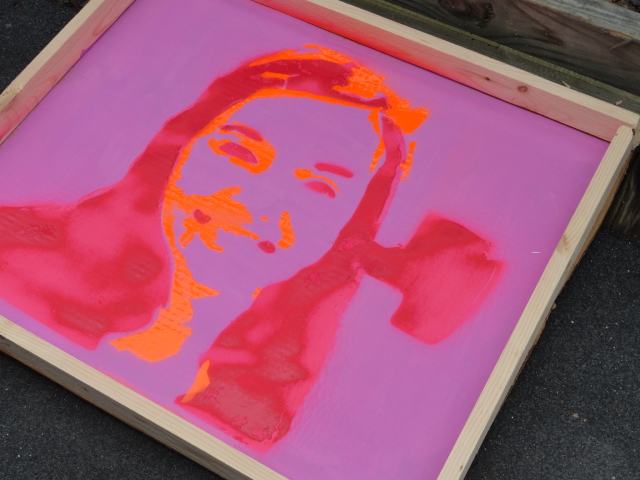
This week in Art One we are working on Muti-colored Self Portrait Stencils (see above).  We've done stencils before but always using only one cut out.

This year we are a little ambitious  going for three or four different cuts out to complete the portraits. I've never done this before ... the students have never done this before... so its all new to everybody and nobody is really sure if it will even work.. But I think we are off to a good start.

Check out the process so far...


We started the adventure up in the computer lab by importing a photograph into Photoshop. There, we applied the cutout filter to break the image down into basic shapes. Then we applied a gradient map to match the colors of the spray paint. I've created a video tutorial you can watch here.

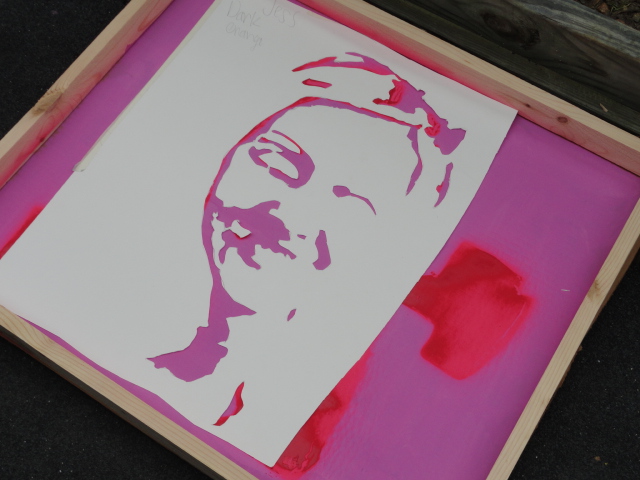
Next, we projected the resulting image onto tag board. Each color was traced onto a separate sheet. That's what is going on in the photo above.


All the fun comes when each piece of tag board needs to have the negative space cut away from it. We use x-acto blades. Boy is this part fun! Now where is my tongue? Oh, here it is. firmly embedded into my cheek.


The final step takes very little time, especially compared to the rest of the process. Each piece of tag board is placed on a background and the chosen color sprayed though. Pretty simple.


Above you see the second layer being applied.


Here you see the work with two layers sprayed.


This is the same piece with three layers sprayed.


Jess is now adding the final layer, the white spray paint.


This is the final version after spraying. We might take these to the next level by adding color pencil, marker or pastels on top of the sprayed images. Stay tuned!!

To better understand what we did in the computer lab, watch or share with your class the video below.


Creating a Stencil Reference from iansands on Vimeo.

Apples to Apples


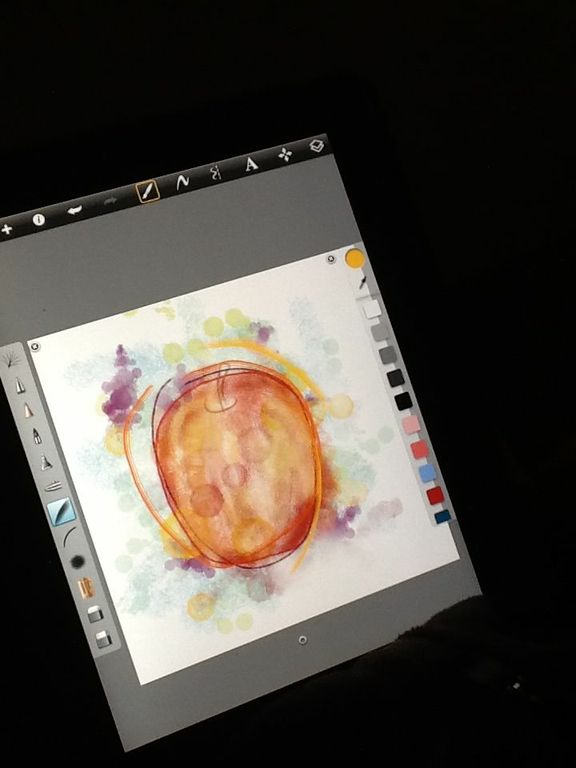
The Computer Art class spent the morning taking their first look around the iPad app Sketchbook Pro. The objective was to learn about using layers with different brushes, opacities and colors.

What better way to start using an Apple then by drawing an apple from observation. The best part was, we ate the apples when the class was over!  

Just to be clear... we ate the apples, not the Apples.


Tuesday, February 26, 2013

Drawing Class NOW here at Apexh High!!

Do you LOVE to Draw?
Would you like to LEARN?
Are you cooler than cool?
 Then Sign up already!!!!  Check out this video about the course.....

 
Try our slideshow creator at Animoto.

Sunday, February 24, 2013

Registration Begins at Apex HS

Before you register for class next week.. Watch these two videos -->


Art History..
One Class. Once a Year.. Are You In?


Make your own slide show at Animoto.


Computer Art...
If you Can Imagine it....


Make a video of your own at Animoto.

Thursday, February 21, 2013

PLN Animation Collaboration


A week or so ago, we kicked off a new unit in animation using artwork created by students at other schools. I tweeted my PLN asking for volunteers. The three participating schools included -->

The Creature that Came with the Chair:
by Second graders at Dryden Elementary Arlington Heights, Illinois.

Visual Pun 
By middle school students at Space Center Intermediate School Houston, Texas

Exquisite Corpse
By students at Byron Center Middle School Byron Center, Michigan

You can check out the first round of animations here . Our Apex Computer Art students selected an image and used Photoshop to create these animated gif's. Here are a few more of the animations...


Related Posts Plugin for WordPress, Blogger...