Pages

Ian Sands has taken a new position at South Brunswick HS Check out it out! http://ArtofSouthB.com

Friday, September 16, 2011

Color Wheels


In the last two weeks we focused on using color, modes and gradients. We created a color wheel by changing the hue and saturation of various objects. The object used was decided on by the student; all I requested was that they take the photo.

As a follow up project, we photographed diet coke and mentos and combined the soda explosions with another photo to create something entirely unexpected (photos coming soon).


(The following photo was not taken in class.) Though I don't condone smoking, I thought this object in this context made for an interesting, if not controversial topic (and some might add, that is the purpose of art).


The final image is not the student’s final work. This was the piece before adding color. However, both the student and I agreed that this image was an interesting visual. The stop signs purposely resemble a fist.

Tuesday, September 13, 2011

Shadow Art


Remember those old slide projectors that were used to put art history students to sleep? You'd be amazed at how easy it is to get your hands on them nowadays.

Today, we set up six slide projectors and tried our hand at making shadow art.


Most of the art was made by projecting the light through cut out paper, however there were a few other methods that turned out rather interesting.


The image above was created by layering cut out paper on top of paper. Instead of project the shadow, the paper was placed over the light so that the different thickness of paper created different values.


To create the shadow image of the ship, the students stacked junk till they got the shadow to look just right.

Connected Classroom Monster Project


Theresa Gillespie, Leatha Koefler and I are combining forces to create a monster of a connected classrooms project, literally!


I originally saw the idea for this project posted on Google+. An elementary class drew monster pictures then a high school sculpture class created 3D ceramic versions.

One of my project ideas for my high school computer art class was going to be designing a package for a toy. When I saw this project, I had to jump on it.


I put the call out for kindergarten monsters and Theresa, elementary art teacher in the Moline School District in Illinois responded right away. Through MediaFire, she was able to share drawings by her kindergartners.

Since I don't teach sculpture, I ask Leatha Koefler, fellow Apex High School (Apex NC), sculpture teacher, if she wanted her students to participate. And off we went.


Currently, the monsters are being sculpted in the ceramic class. Once they have been fired and are complete with added feathers and what not, I'll have my computer art class design packages for them.

Eventually, the monsters will be shipped back to the kindergarten class in Illinois.

Stay tuned!

Monday, September 12, 2011

Diet Coke, Mentos & Computer Art


So how is this art related at all? You'll just have to trust me ;)


Muda Lisa: The Prototype


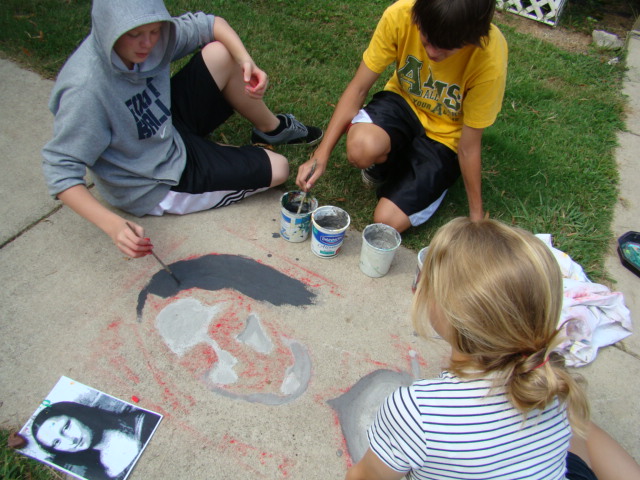
So we got this idea to explore value scale through different shades of mud. Before we decided to make it a class project we thought we might test it out once. This is the story of a few artists trying to figure out the best process for creating a value painting using mud...


First, we brought an image of the Mona Lisa into PhotoShop, converted her to black and white and broke her down into 4 shades.


Just like Leonardo would have done, we transferred the image by first poking holes in the drawing with a toothpick...


And then, applying chalk dust to the back...


so the image transferred to the sidewalk.


We created four different mud values from light to dark and applied it to the sidewalk.


The project was relatively successful and received a thumbs up to proceed as a class project.

.

Friday, September 9, 2011

Creating Blogs

Go to Blogger.com and create your blog

After you create your blog, email the URL to me at isands@wcpss.net

Browse through these collection of photos to find images of your work. Create one blog post for each project.

You can click on the name of the photo to view it larger. then right click on it and save the image so you can post it.

Shadow Art
Animal Hands
Cassette Art
Light Drawing
Drawing Turtles
Day One Project


Along with the photos, please write about your experienchttp://www.blogger.com/img/blank.gife working on each project. You can use the following questions as a guide:

1. Describe your overall thoughts on the final piece.
2. How successful do you feel this piece is and why?
3. What worked about this project? What didn’t work?
4. If you were to do this project over again, what changes would you consider making?
5. What was the most difficult part about completing this piece and why?
6. What did you learn from this piece?

Next, we will create mud paintings from art history so this link -->

Art History Images

.

Wednesday, September 7, 2011

Light Painting


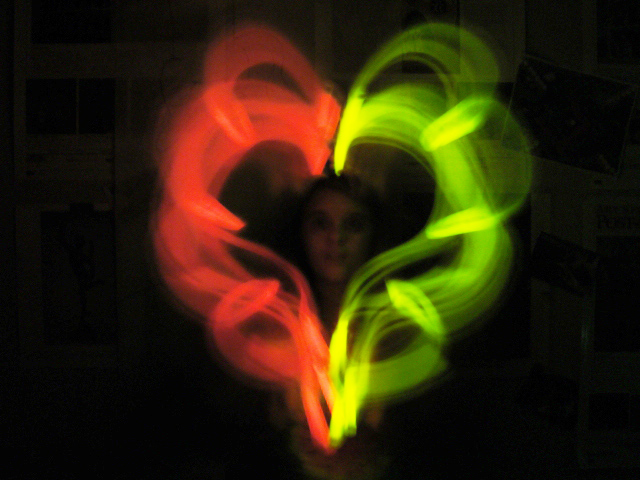
Crack open the glow sticks and shut off the lights, it's time for light painting!

This year we tried a few new ideas including stencils and silhouettes.


Your 2011 Newimals!


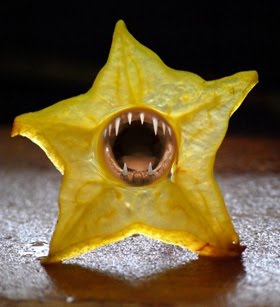
Second project for our Computer Crt class. You take one animal part here and mix it with another animal part there and sooner or later you have a Newimal.


Related Posts Plugin for WordPress, Blogger...